Demystifying reCAPTCHA: How It Safeguards the Web, How the reCAPTCHA works - Explained
Demystifying reCAPTCHA: How It Safeguards the Web
(please use landscape mode if using smartphone)
In an age where internet security is paramount, the reCAPTCHA system stands as a bastion against automated bots and malicious activities online. Developed by Google, reCAPTCHA is not just a simple checkbox; it's a sophisticated tool that employs advanced techniques to differentiate between humans and bots. Let's delve into the mechanics of how reCAPTCHA works and why it's an essential component of web security.
☕ buy me a coffee
Understanding reCAPTCHA:
At its core, reCAPTCHA serves a dual purpose: it helps to digitize books and other documents while also protecting websites from spam and abuse. The technology evolved from the humble CAPTCHA (Completely Automated Public Turing test to tell Computers and Humans Apart), which required users to decipher distorted text or select images to prove their humanity.
📹 reCAPTCHA ENTERPRISES updated

However, traditional CAPTCHAs had limitations. As bots grew more sophisticated, they became adept at circumventing these tests, rendering them ineffective. This led to the development of reCAPTCHA, which introduced more robust mechanisms for distinguishing humans from bots.
The Evolution of reCAPTCHA:
1. reCAPTCHA v1: Initially, reCAPTCHA v1 presented users with distorted text that OCR (Optical Character Recognition) systems couldn't easily decipher. By solving these challenges, users not only proved their humanity but also assisted in digitizing books.
2. reCAPTCHA v2 "I'm not a robot" Checkbox: This version introduced a simpler checkbox that users could click to confirm their human status. Behind the scenes, however, Google analyzed various factors, such as mouse movements and browsing history, to determine whether the user was genuine or not.
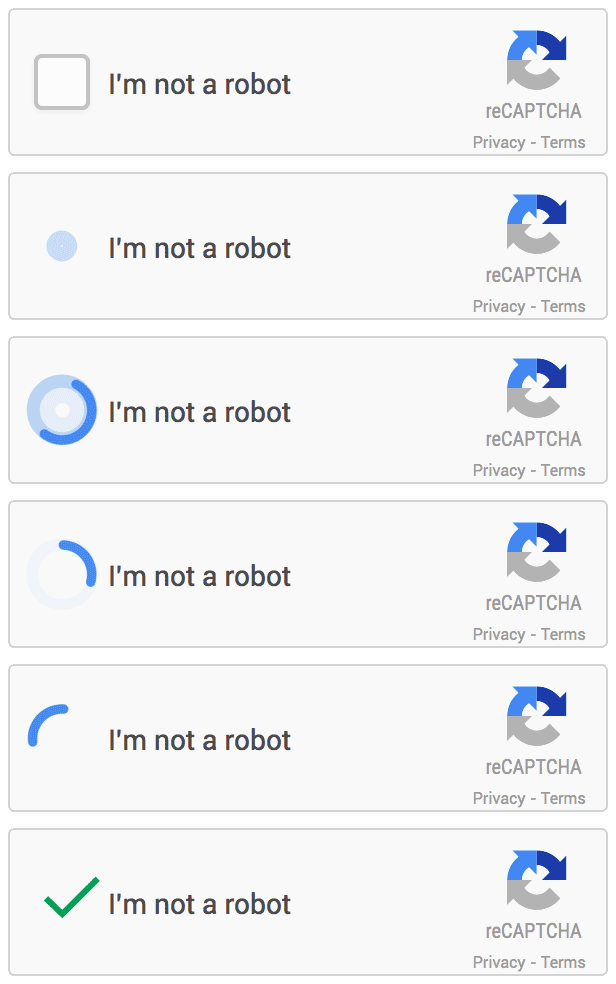
reCAPTCHA v2
3. reCAPTCHA v3: Unlike its predecessors, reCAPTCHA v3 operates in the background without requiring any user interaction. It assigns a score to each user based on their browsing behavior, and websites can use this score to make decisions about whether to allow or block certain actions.
"<script src="https://www.google.com/recaptcha/api.js?render=reCAPTCHA_site_key"></script>",
reCAPTCHA_site_key is a unique key that identifies the website to Google.How reCAPTCHA Works:
1. Challenge Generation: When a user encounters a reCAPTCHA challenge, whether it's clicking a checkbox or solving a puzzle, the system generates a test based on various parameters.
2. User Interaction: The user interacts with the challenge, providing input that reCAPTCHA analyzes.
3. Analysis and Score Assignment: reCAPTCHA evaluates the user's behavior, taking into account factors like mouse movements, typing patterns, and browsing history. It then assigns a score indicating the likelihood that the user is human.
4. Website Integration: Websites receive the user's score from reCAPTCHA and can use it to make decisions, such as allowing form submissions or blocking suspicious activities.
Benefits of reCAPTCHA:
1. Enhanced Security: By accurately identifying bots, reCAPTCHA protects websites from spam, fraud, and other malicious activities.
2. User Convenience: With versions like reCAPTCHA v3, users can complete actions without any interruption, enhancing their browsing experience.
3. Data Digitization: Through reCAPTCHA's challenges, users contribute to the digitization of books and documents, thereby advancing knowledge preservation efforts.
Conclusion:
reCAPTCHA stands as a testament to the ongoing battle between internet security and malicious actors. By continually evolving and adapting to new threats, it plays a vital role in safeguarding the web ecosystem. From protecting websites to aiding in data digitization, reCAPTCHA's impact extends far beyond a mere checkbox, making it an indispensable tool for ensuring a safer and more secure online environment.


Nice article!
ReplyDeleteagreed
Delete